Support Agent
Answers from your knowledge base. Hands off when it should.
Answers customer questions from your knowledge base, tracks orders and opens tickets.
- From
- $29/mo
- Tools
- 5(1 needs approval)
Support · Sales · Operations
Subscribe to a ready-made agent for customer support, lead qualification or operations. Clear monthly message caps, human approval on high-risk actions, and payment by card, Mobile Money or crypto.
The line-up
Each agent comes with a focused set of tools for its job, and you can see every one of them before you buy.
Answers from your knowledge base. Hands off when it should.
Answers customer questions from your knowledge base, tracks orders and opens tickets.
Qualifies every inbound lead. Your reps take the good ones.
Qualifies inbound leads, enriches contacts, updates your CRM and books meetings.
Watches the numbers. Drafts the paperwork. Asks before spending.
Monitors inventory and schedules, produces reports and drafts purchase orders.
Risk-labelled tools
Every tool an agent can use is marked low, medium or high risk, and the labels are published on each agent page.
Humans approve the big stuff
Refunds, outreach emails and purchase orders are high-risk tools that go to a person on your team for approval.
No surprise bills
You get a usage warning at 80% of your monthly messages. At the cap the agent pauses; we never charge overage.
How it works
Pick an agent and a plan
Support, sales or operations. Each plan has a fixed monthly message cap, so you know the price up front.
Pay your way
Card, Mobile Money or crypto. Your plan activates only once the payment provider confirms the payment.
Connect with an API key
Your app sends messages to the agent over HTTPS. We store only a hash of your key.
See it in action
Set it up, put it where your customers are, and keep a person in charge of anything that matters.

Set up in an afternoon
A guided checklist walks you from your website to a live agent. No code needed.

Customers get an answer straight away
Questions about hours, prices and orders are answered in seconds, day or night.

Your team stays in control
People approve the high-risk actions and see how the agent is doing.
Website chat
AvailableA chat bubble on your own site.
Customers message your business number.
Customers write to one address and get a reply.
Screens from the dashboard. The names and numbers are example data.
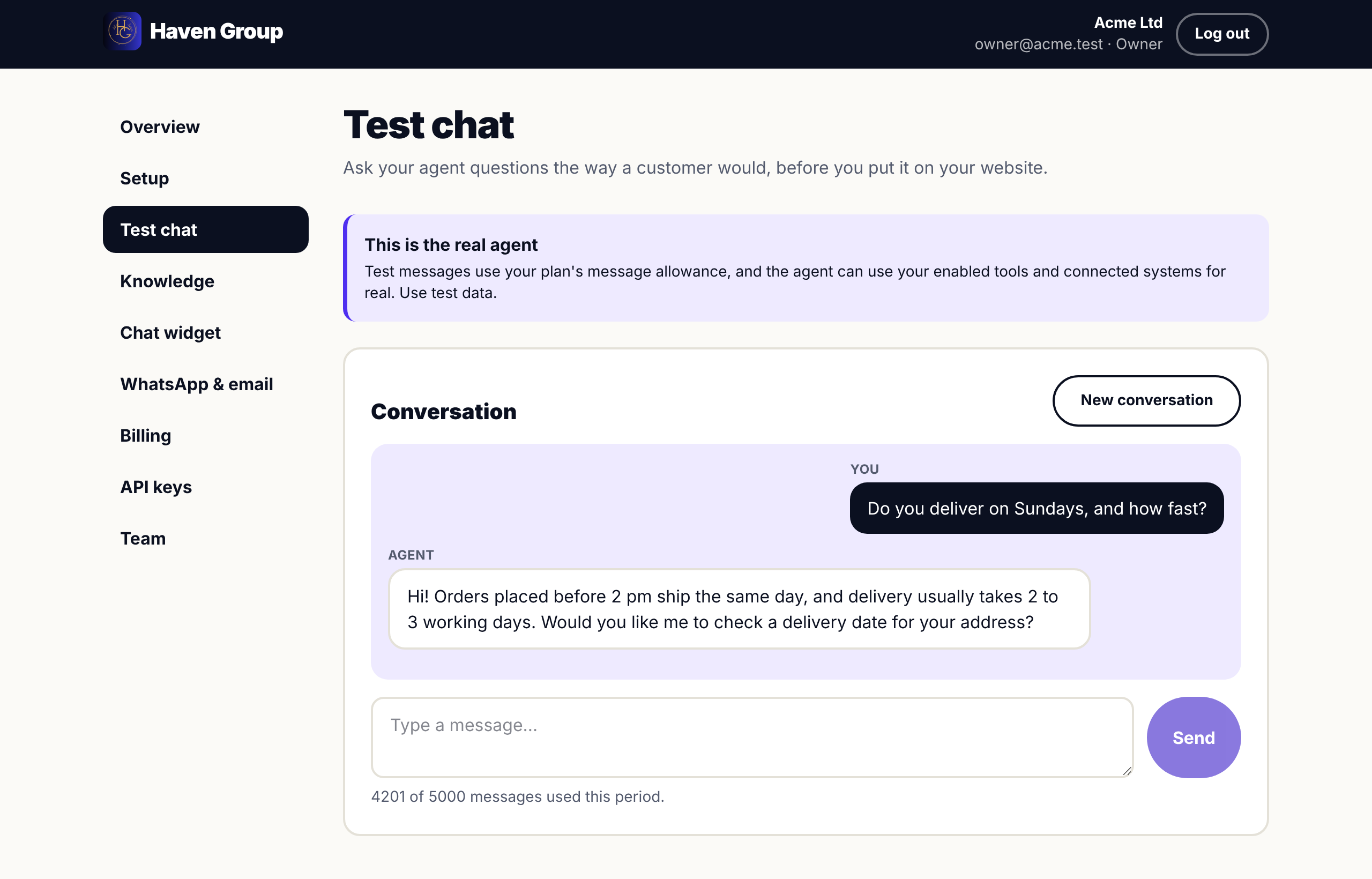
Try your agent first
Chat with it in your dashboard before any customer does.
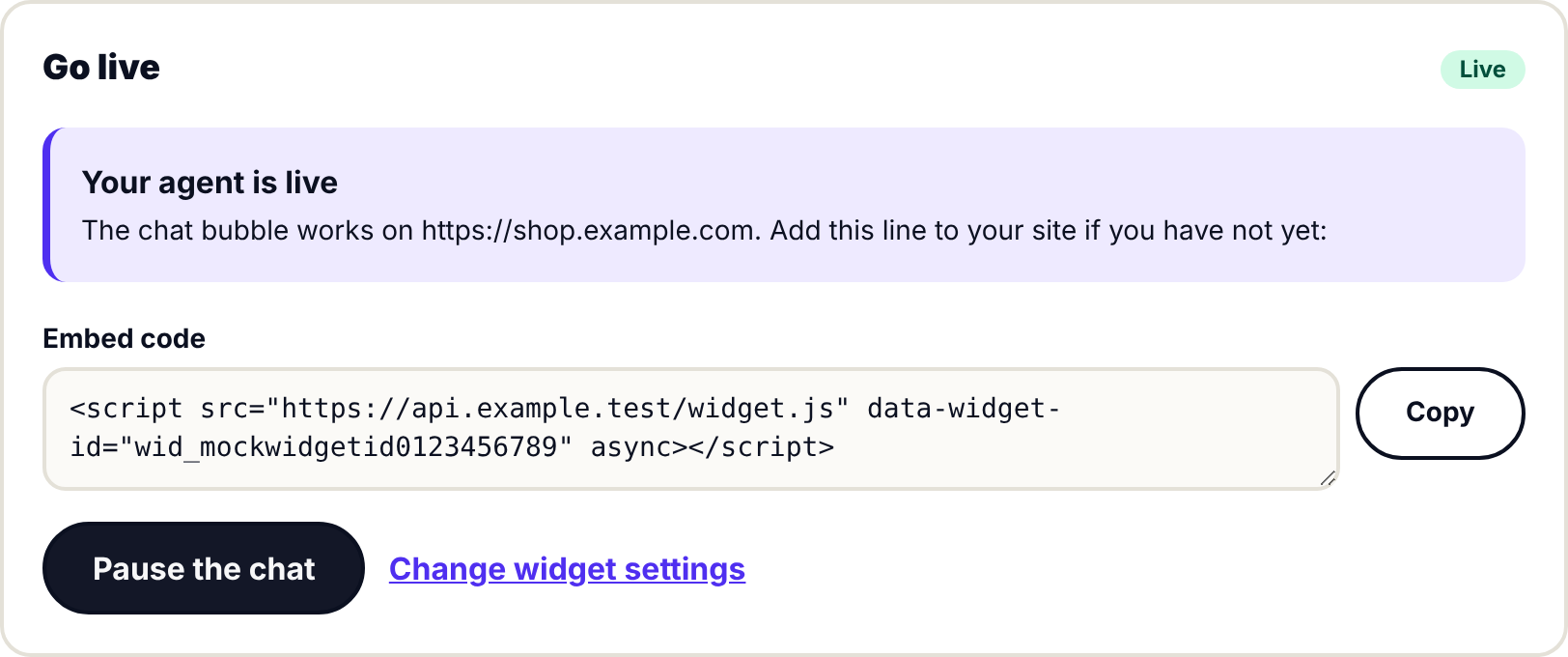
Go live with one button
Paste one line into your website and the chat bubble appears.
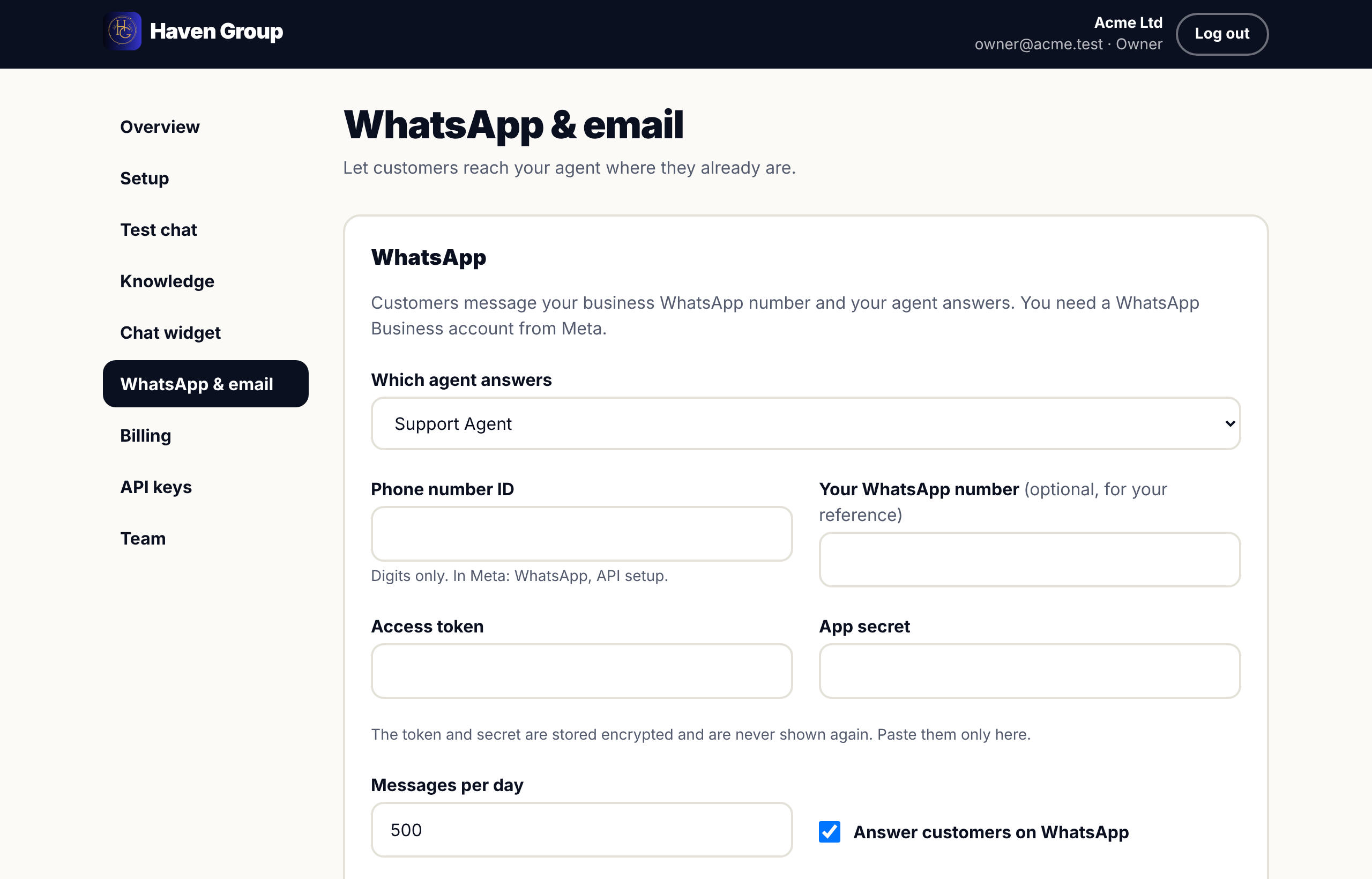
WhatsApp and email
Meet customers where they already are.
Payments
Plans are priced in US dollars. Mobile Money checkouts show the XAF amount before you pay.
Card
Stripe
Monthly subscription that renews automatically.
Mobile Money
Fapshi · MoMo
Prepaid month, quoted in XAF at checkout. Top up any time.
Crypto
NOWPayments
Prepaid month, priced in USD and paid on NOWPayments' checkout. Top up any time.
Compare plans, or talk to us about your setup.